
I have an error with my video. What should I do?
Sometimes a dub doesn't finish. The status panel will show an error and the dub stops processing. This article covers the first things to check — most errors fall into one of a few categories with specific fixes.
Step 1 — Read the error message
The status panel shows a short error description. It usually points directly at the cause: a problem with the input file, a step that failed during processing, or an issue with Lip-Sync.
Take note of the exact wording — you'll need it if you contact support.
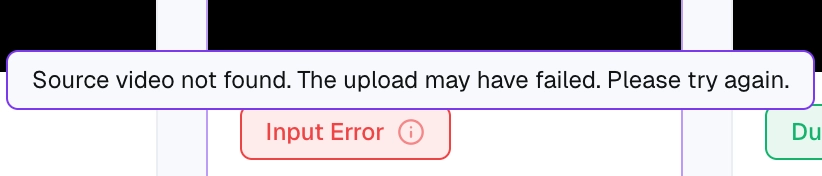
Step 2 — Identify the type of error
There are a few common categories:
Input error. The source video itself can't be processed (corrupt file, unsupported format, no detectable speech, file too short or too long). See Input error.
Processing is slow or stuck. Still running but much longer than expected, or hasn't moved phase in hours. See Processing is taking longer than expected.
Lip-sync error. Audio finished, but Lip-Sync couldn't be applied. See Lip-sync error.
Voice quality is off. Dub finished, but the audio sounds wrong. See My voiceover sounds inconsistent or distorted.
Step 3 — Try a fresh dub
Some errors are temporary (network issues, transient service problems). If the error doesn't suggest something wrong with your input, start a new dub from the same source. If it succeeds, the original was just a transient failure. If it fails again the same way, the cause is on your input or a configuration issue, not on our side.
Step 4 — Contact support
If none of the targeted fixes apply, contact support and include:
The dub URL.
The exact error message from the status panel.
A short description of what you've already tried.
We can see internal error details that aren't shown in the UI, so we'll usually be able to tell you whether it's fixable on your side or whether we need to investigate.